Product tour
From opening the store to the first order shipped.
Five steps in their natural order, the way a merchant actually moves through numu.
Choose how your store looks
Start from a ready Arabic theme, then adjust colours, fonts and section order until it looks like your brand.
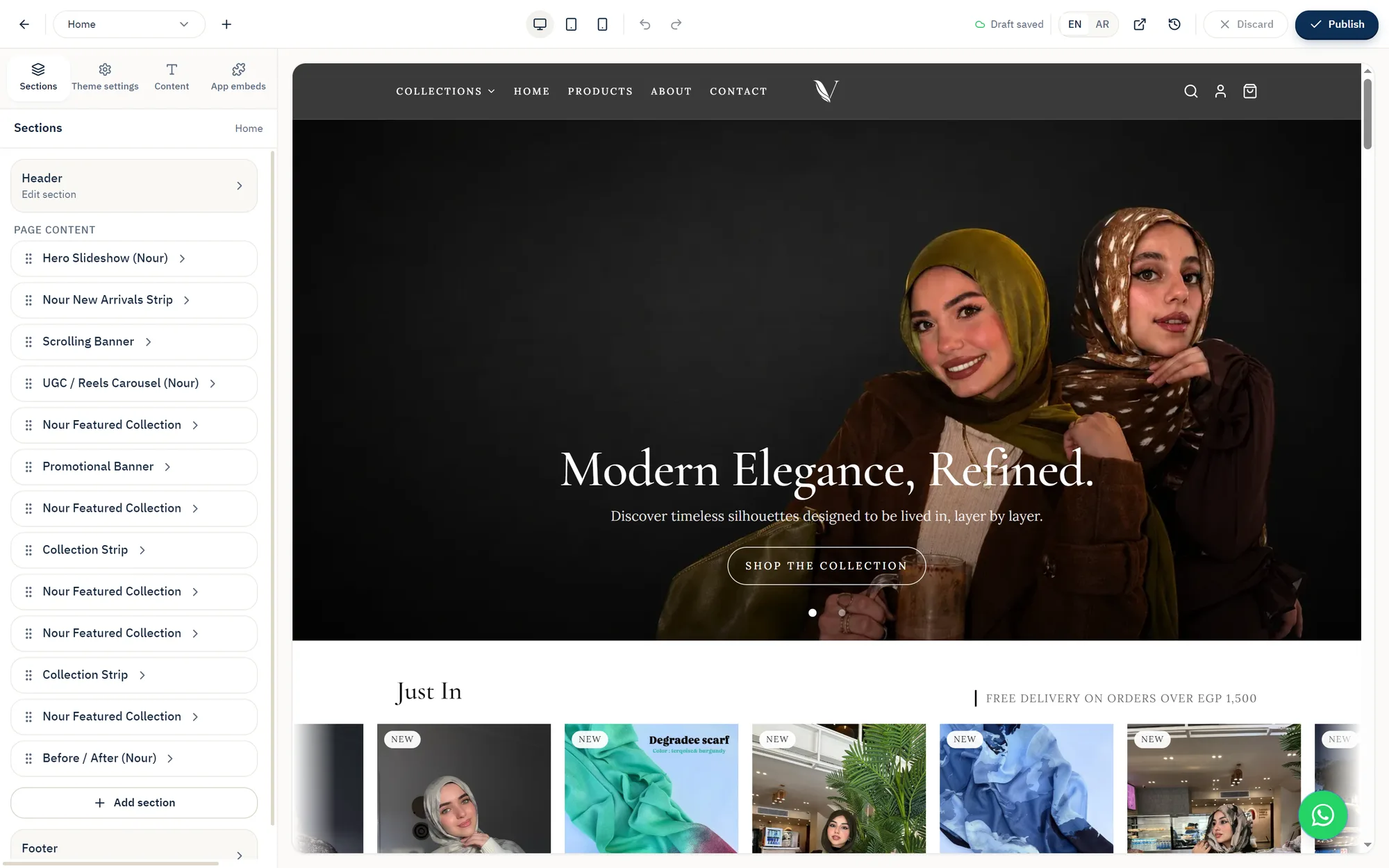
See it the way your customer will
The preview shows the storefront exactly as a customer sees it on phone and desktop, before you publish.

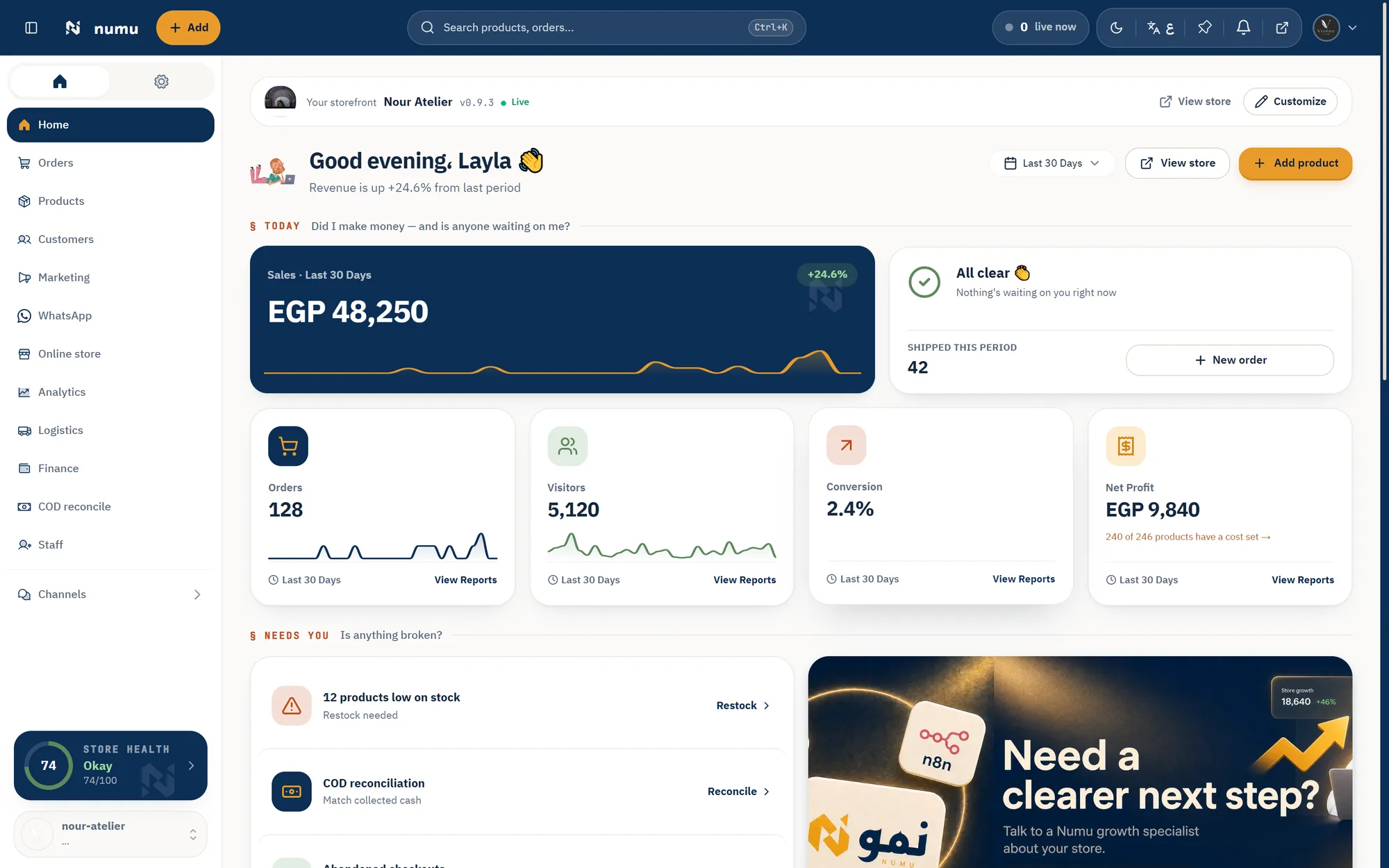
Run your day from one dashboard
New orders, the status of each one, and shipments — the screen you open in the morning and work from.
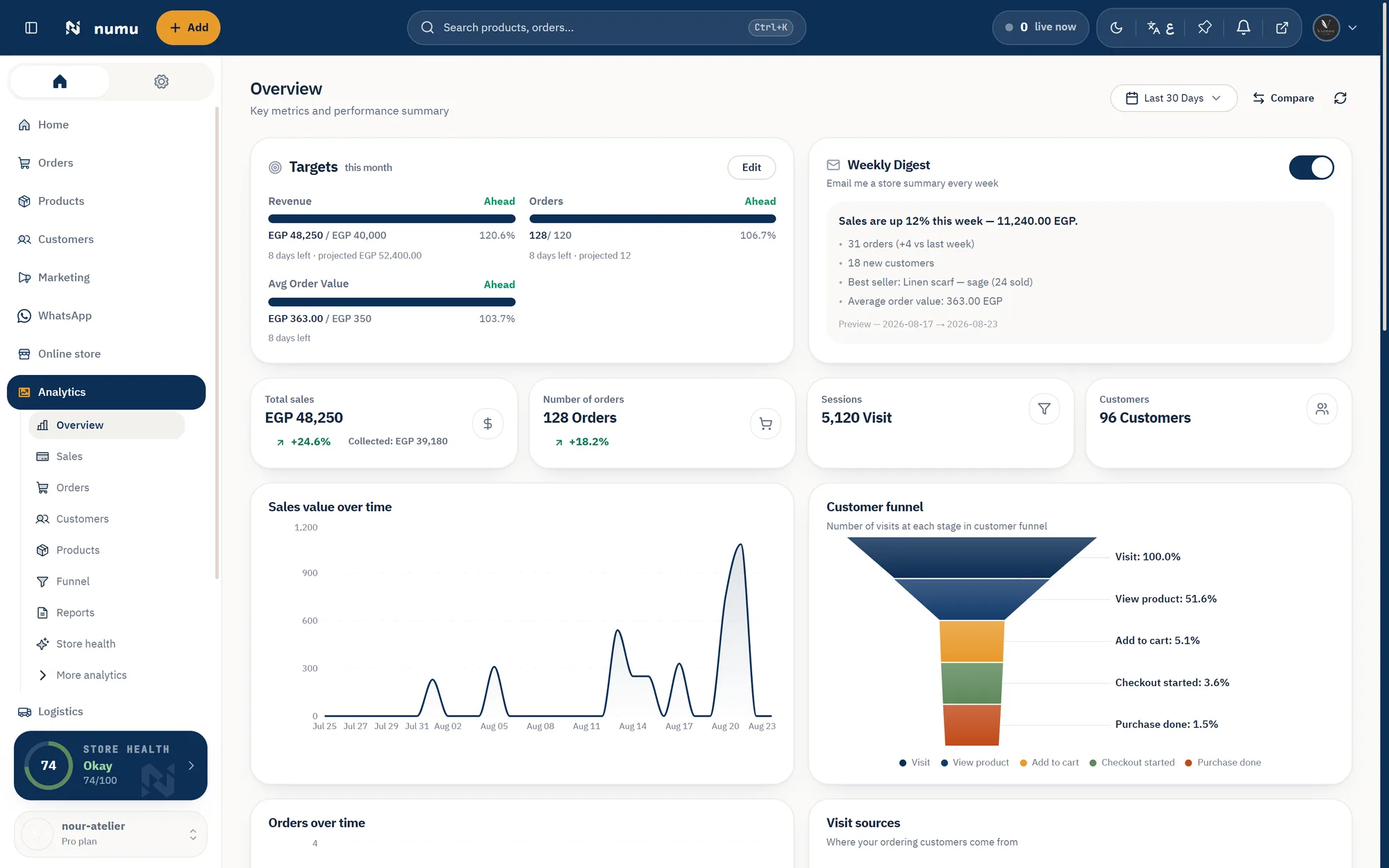
Know where the money comes from
Sales, best-selling products and traffic sources — so you know where to spend your money and time.
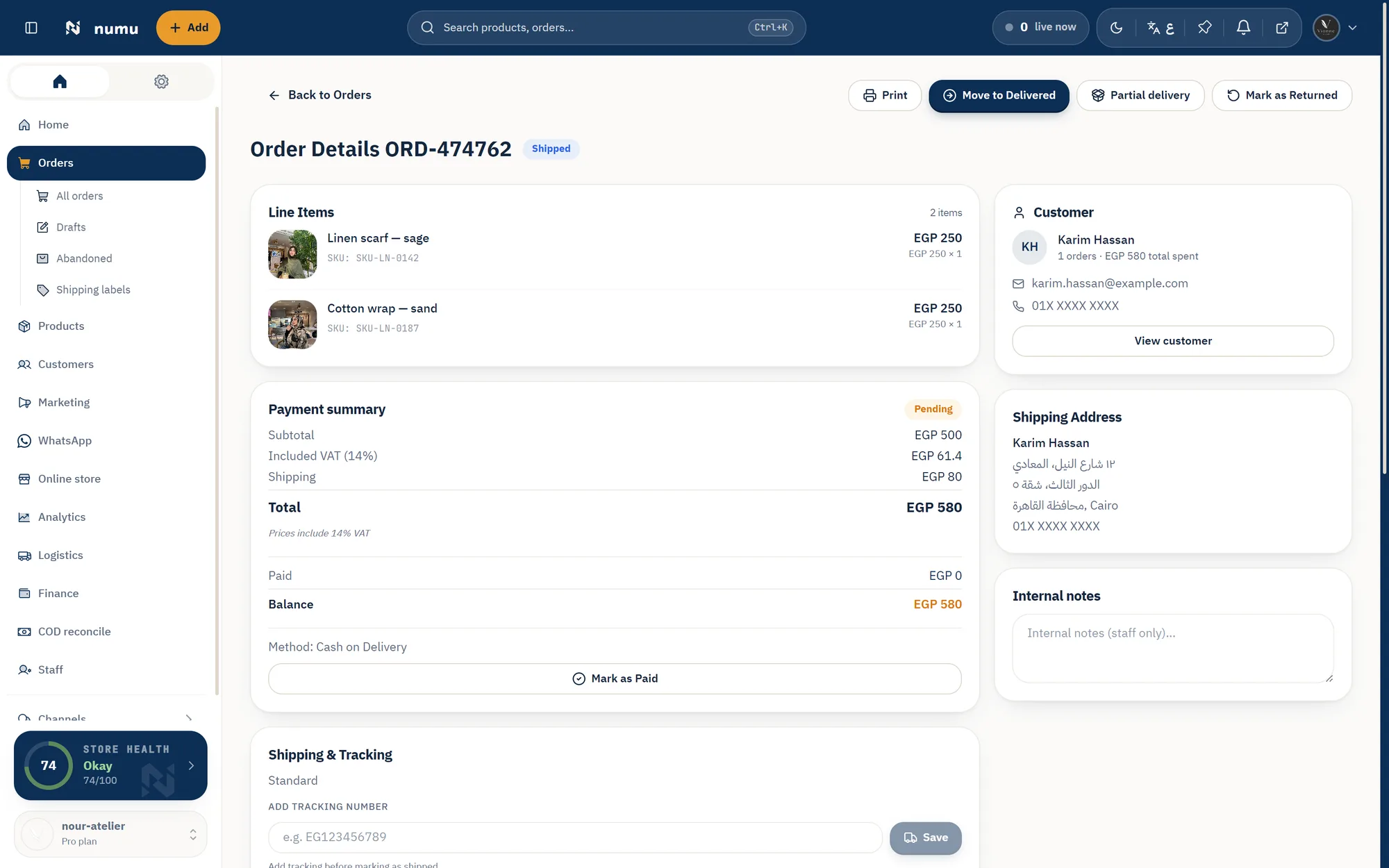
Decide before you ship
On cash-on-delivery orders you see the risk signal and choose: ship, request prepayment, or hold.
Try it on your own store.
Start with no credit card and walk the same steps on your own data.